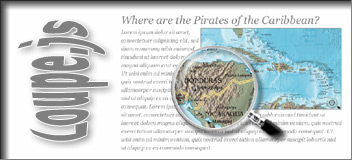
Loupe.js and Loupe.png allows you to add a loupe (magnifier) to images on your webpages. It uses unobtrusive javascript to keep your code clean.
It works in all the major browsers - Mozilla Firefox 1.5+, Opera 9+, IE 6+ and Safari. On older browsers, it'll degrade and your visitors won't notice a thing.
Setting Up
Download "loupe.js" and include it into your webpages HEAD section.
// only if the image "loupe.png" is not in the current path

<script type="text/javascript">var loupePath="imagepath/";</script>

// else only this lines...

<script type="text/javascript" src="loupe.js"></script>

<!--[if gte IE 6]>

<script type="text/javascript">var loupePath="vml/";</script>

<script type="text/javascript" src="vml/loupe.js"></script>

<![endif]-->
Using It
To add a loupe just set the event onload="initLoupe(this.id);" to an div surrounded image.
Fast and easy to implement. Just add onload="initLoupe(this.id);" to the image.
Makes large images completely visibly through small page-areas.
Works and looks really well. Doesn't require additional resources.
It's possible to change the design of the loupe by use of a image editing program.
Free of charge use on non-commercial and private web sites.
In older browsers, the script degrades and your visitors won't notice a thing.
Restrictions
It's not advisable to use the script multiple times on the same page.
History
Version 1.2
Added support for Internet Explorer 6/7
Version 1.1
Works even with disabled cache
Version 1.0
Initial Release
License
Loupe.js is distributed under this LICENSE. License permits free of charge use on non-commercial and private web sites only. There is also a Commercial Software License available.
Images used are copyrighted and are used for demonstration only.