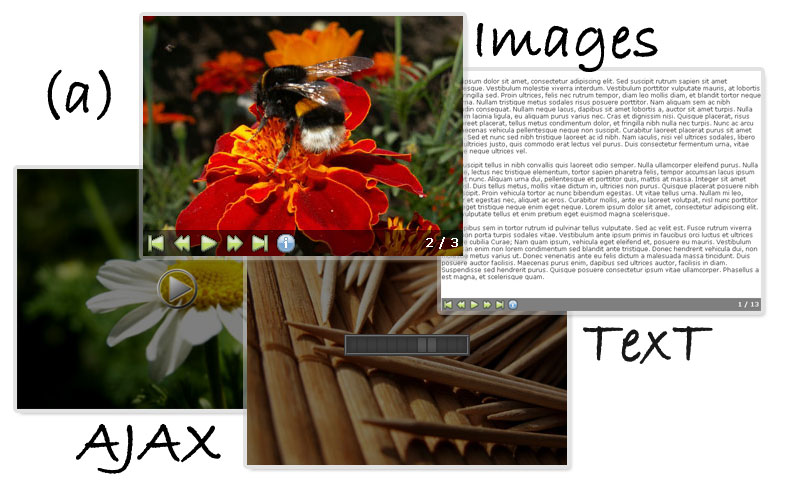
This plugin allows you to create dynamic, controllable slideshows or presentations for your website.
Simply define a block of HTML to be a slideshow or presentation. You can use any tags like <p>, <img>, <div> etc.
Wordpress plugin is available: http://wordpress.org/extend/plugins/a-slideshow/
SVN Command-Line Access:http://code.google.com/p/a-slideshow/downloads/list
http://plugins.jquery.com/project/a-slideshow
Aviable two version - source with comments (~18Kb w/o theme) and pack (~5Kb w/o theme)svn checkout http://a-slideshow.googlecode.com/svn/trunk/ a-slideshow-read-only
[Top]
<link href="/js/jquery.aslideshow/simple/styles.css" media="screen" rel="stylesheet" type="text/css" />
<script type="text/javascript" src="/js/jquery.js?ver=1.3.2"></script>
<script type="text/javascript" src="/js/jquery.aslideshow.js"></script>
Create any content:
<div id="MySlideshow">
    <p>Some text... on slide one</p>
    <img src="docs/img/image_0.jpg" alt="It's slide number two"/>
    <img src="docs/img/image_1.jpg" alt="It's slide number three"/>
    <p><label>Title</label>Some text... on slide four</p>
    <a href="docs/img/image_2.jpg">It's slide number five</a>
    <a href="example/info.html">It's slide number six</a>
    <a href="http://domain.com/example/info.html">It's slide number seven</a>
</div>
Initialize slideshow:
<script type="text/javascript">
//<![CDATA[
$(document).ready(function(){
    $('#MySlideshow').slideshow();
});
//]]>
</script>
Result:
Some text... on slide one
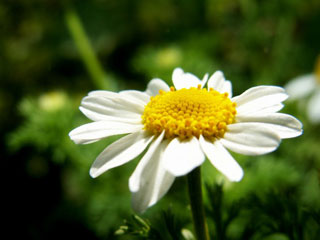
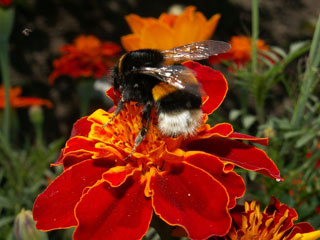
Some text... on slide four
It's slide number five It's slide number six It's slide number sevenThis is function work only with one slideshow
<script type="text/javascript">
//<![CDATA[
$(document).ready(function(){
    $('selector').slideshow({
        width:320,      // width in px
        height:240,     // height in px
        index:0,        // start from frame number N
        time:3000,      // time out beetwen slides
		history:false,  // change/check location hash
        title:true,     // show title
        titleshow:false,// always show title
        callback:null,  // callback function - call when slide changed - receive index and label
        panel:true,     // show controls panel
        play:false,     // play slideshow
        loop:true,      // looping
        effect:'fade',  // aviable fade, scrollUp/Down/Left/Right, zoom, zoomFade, growX, growY
        effecttime:1000,// aviable fast,slow,normal and any valid fx speed value
        filter:true,    // remove <br/>, empty <div>, <p> and other stuff
        nextclick:false,      // bind content click next slide
        playclick:false,      // bind content click play/stop
        playhover:false,      // bind content hover play/stop
        playhoverr:false,     // bind content hover stop/play (reverse of playhover)
        playframe:true,       // show frame "Play Now!"
        loadframe:true,       // show frame with "loading"
        fullscreen:false,     // in full window size

        imgresize:false,      // resize image to slideshow window
        imgzoom:true,         // zoom image to slideshow window (for smaller side)
        imgcenter:true,       // set image to center
        imgajax:true,         // load images from links
        imglink:true,         // go to external link by click

        linkajax:false,       // load html from links
        help:'Plugin homepage: <a href="http://slideshow.hohli.com">(a)Slideshow</a><br/>'+
             'Author homepage: <a href="http://anton.shevchuk.name">Anton Shevchuk</a>',

        controls :{         // show/hide controls elements
            'hide':true,    // show controls bar on mouse hover
            'first':true,   // goto first frame
            'prev':true,    // goto previouse frame (if it first go to last)
            'play':true,    // play slideshow
            'next':true,    // goto next frame (if it last go to first)
            'last':true,    // goto last frame
            'help':true,    // show help message
            'counter':true  // show slide counter
        }
    });
});
//]]>
</script>
[Top]
Images in slideshow under CC License. See more on http://photo.hohli.com
Author Homepage: http://anton.shevchuk.name